Your corner of the internet
One link.
A whole lot
of you.
Your work. Your words. Your next big thing.
Bring it all together on a page that feels like you—and give every visitor a way to explore.
Your own profile URL. Live preview. Built-in click analytics.
All your possibilities.
A little show. A lot of possibility.
See it come together.
A real walkthrough of the app.
Sample profile. Real features. No sound needed.
Read the walkthrough
- Shape your page. Choose a theme in Design studio and see it in the live preview. Undo and redo draft changes, then publish when you are ready.
- Organize your links. Find a link with search, sort the dashboard, and open the editor to refine its title and destination. These management tools keep your public page order intact.
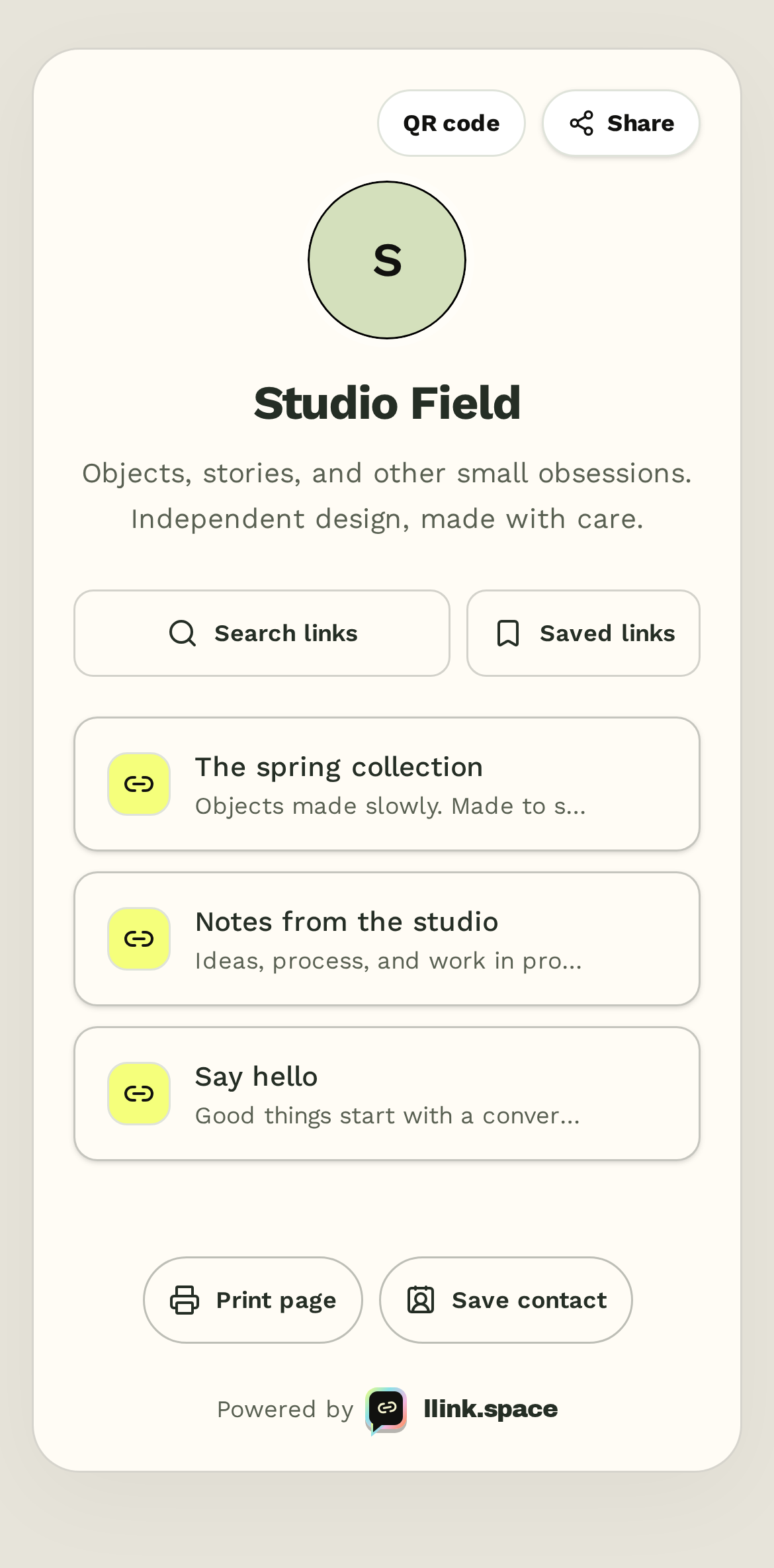
- Make it worth a visit. Explore the published page. Save a link for later, open your saved links, and expand an FAQ answer. Saved links stay in the visitor’s browser.
- Share with a scan. Open the QR share kit and download an SVG for posters, packaging, or business cards. A PNG download is available too.
Your toolkit / 40 features, available now
Small details.
Big possibilities.
Useful tools, right here.
Built into the app, ready when you are.
Showing 40 features
01 / Create
Make it yours.
A page with your personality. Room to experiment before anything goes live.
Audio blocks
Share a direct audio file with a native player. Visitors choose when to press play.
Call-to-action blocks
Add a prominent website link with a label and supporting text.
Divider blocks
Give your page a little breathing room with a line and an optional label.
Code snippets
Publish plain code as text, with a copy button. Nothing is executed.
Visitor checklists
Share up to 30 items that visitors can check off during their visit.
Business hours
Display opening hours by weekday, with an explicit time zone.
Design undo & redo
Step back through up to 50 draft changes, then redo the ones you love.
Style backups
Download your theme and content blocks as a file. Validate and preview a restore before publishing.
Content block duplication
Copy a block with its placement intact, then edit the copy independently.
FAQ blocks
Give common questions a home with keyboard-accessible, expandable answers.
Quotes & testimonials
Publish a quote with attribution and an optional link to its source.
Event blocks
Share event details in your visitor’s time zone, with a downloadable calendar entry.
02 / Organize
Keep it together.
Less hunting through links. More control over what goes out, and when.
Batch duplication
Copy up to 50 links into paused drafts, keeping their sections and card content.
Batch scheduling
Set publish and expiry times together. Preview the schedule and choose whether to activate paused links.
Batch descriptions
Update or clear descriptions across a selection in one validated save.
Batch icon styling
Give selected links a shared icon and background color.
Find and replace titles
Preview literal title replacements across selected links before applying them.
Find and replace destinations
Update destination text across a selection. Invalid results block the entire save.
Batch tracking cleanup
Preview the removal of attribution parameters while keeping destination parameters and fragments.
Save sorted page order
Preview an alphabetical or date-based order, then save it within each section.
Bookmark HTML import
Bring up to 50 browser bookmarks into paused drafts, with title and URL validation.
JSON catalog import
Import titles, destinations, descriptions and icons from a validated JSON file. Duplicates are skipped.
Campaign URL builder
Add campaign tracking parameters, preview the finished URL, and apply it to your link.
Duplicate destination review
Spot links to the same destination, including tracking variants. Choose what to edit; nothing is deleted automatically.
Publishing calendar
Review upcoming start and expiry dates over 7, 30, or 90 days. Export them to your calendar.
Saved filter views
Name and restore up to 10 combinations of search, status, and section filters. Saved in this browser.
Dashboard sorting
Sort by title or creation date within each section. Your public page order stays yours to arrange.
Bulk URL copying
Select the links you need and copy their destinations together, one URL per line.
Page readiness checks
Review your draft’s profile details, live links, descriptions, and text contrast before publishing.
03 / Share
Take it everywhere.
On a poster, in a document, or in someone’s contacts. Your page travels well.
JSON catalog export
Download a portable catalog of your links, descriptions, icons and section labels.
Website badges
Customize a badge that links to your page. Copy its HTML or download it for your website.
QR share kit
Download a profile QR code as a PNG or SVG for print, packaging, or your next event.
Browser bookmark export
Turn your links and sections into a bookmark file you can import into a browser.
Markdown export
Download a formatted collection of links and descriptions for documents, notes, or a repository.
Contact card downloads
Let visitors save your public name, bio, and page URL as a vCard. Your account email stays private.
04 / Explore
Make yourself easy to find.
A little less scrolling. A reason to come back. A page that works beyond the screen.
Section jump navigation
Pages with multiple visible sections get a compact menu that jumps straight to the right place.
Visitor reading lists
Visitors can save, revisit, remove, or clear links without an account. Lists stay in their browser, with a visible session-only fallback if storage is blocked.
Print-friendly pages
Print the complete link list with destination URLs and clean styling. Collapsed groups open for printing, then return to their previous state.
05 / Insights
Understand your audience.
See which devices people use and when your links get attention.
Device breakdown
Compare mobile, desktop, tablet and unknown-device clicks for your selected range, then export the counts.
Weekly click heatmap
Explore every weekday and hour in UTC. Find busy periods and export all 168 time buckets.
From a blank page to your home base
Make a little
room for yourself.
Let’s make your page- 01
Claim your corner.
Choose a username and add the links you want people to find.
- 02
Give it your signature.
Choose a theme, add your story, and preview every change.
- 03
Send it out into the world.
Publish your page, share your URL or QR code, and see what gets clicks.
A few useful details.
What do I need to use these tools?
They work with your existing llink.space account and browser. You do not need to connect an additional service to use these tools.
Will my draft changes go live immediately?
Design studio changes stay in your draft until you choose Publish design. Undo and redo work within your editing session; style backups give you a file you can keep.
Do saved views and reading lists sync between devices?
No. Named dashboard filters and visitor reading lists are stored in the browser where you save them. Visitors do not need an account to use a reading list. If storage is unavailable, the app explains that saved links will last only while the page stays open.